
/Company9 min read
How Tavily Uses Tavily in Sales: Finding and Reaching Customers
This blog highlights how the Tavily sales team is using live web research through Tavily to understand our market, choose the right accounts, and give reps relevant information they can use to start genuine conversations.

A developer signs up for Tavily.
They could be testing a side project on a Saturday, or they could be the first person at a large company prototyping a product that will eventually make millions of web searches. From the signup alone, it’s hard to tell the difference.
The same visibility problem shows up everywhere else in sales, too:
A company lands in a Clay table. We know its size, industry, location, and funding, but we don’t know what it’s building.
A rep opens the dialer. They have a name, title, and phone number, but the rep still doesn’t know why that person would or should want to talk to us.
A meeting appears on the calendar. The company summary for the attendee is in the meeting details, but what’s recently changed at the company isn’t.
That’s the problem I work on at Tavily while supporting sellers, SDRs, FDEs, and execs. I’ve found that most of the work comes back to answering three questions:
- Which companies should we pay attention to?
- What is happening there right now?
- Is there anything useful for us to do?
A signup or company record can tell us who an account is, but it can’t tell us whether the company is building something that might need Tavily.
That context can and does appear in public sources: product pages, documentation, job posts, GitHub repositories, and launch announcements. When looked at together, those sources can show us what a company is building, whether it depends on current information from the web, and whether anything has changed recently.
How we put that research to work
Our sales team has grown more than 4x this year, and our goal is to help every rep book 50% more new business meetings. Giving everyone a bigger account list won’t get us there. We need to help them find accounts where there’s a good reason to have a conversation.
We use Tavily across five workflows to support that work.
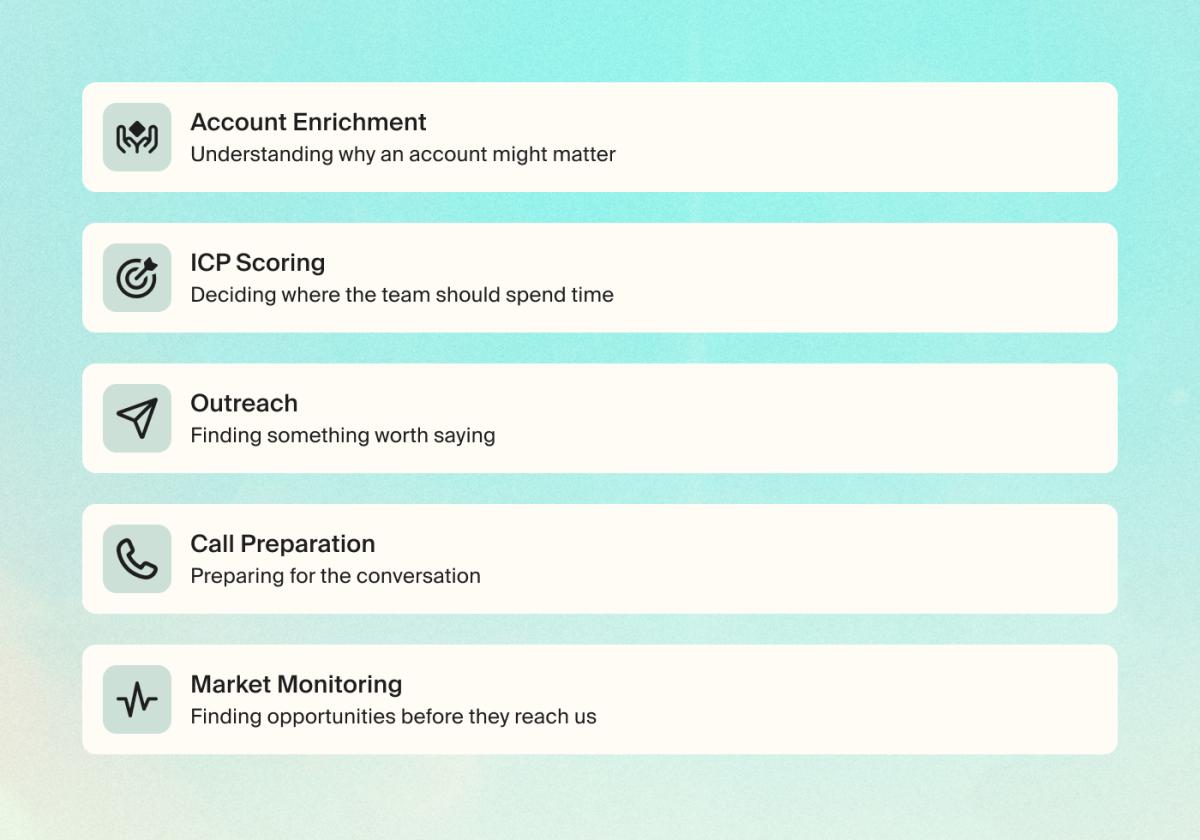
1. Account enrichment: Understanding why an account might matter
Take a hypothetical example. A usual account record gives us a description of the company:
500 employees · Financial services · Series C
That context matters, but does it tell us why the company might need Tavily? No.
Now suppose its product documentation describes an investment research assistant that pulls information from external sources, and the company is hiring engineers to work on retrieval.
That gives the rep a specific use case to investigate. It also leaves questions open: Does the assistant need live information? How does it retrieve that information today? Is the team still evaluating infrastructure?
In our workflow, we combine Tavily’s research with standard company data and product activity. Research can start with a signup, an account added by an SDR, or a change in usage.
The research also needs to recognize the use case across different language. One company calls its product an agent; another calls it an assistant or copilot. A documentation page might never use any of those terms but still describe a product that retrieves web information and returns cited answers. Keyword matching alone can miss that.
If the research can’t establish a credible use case, that’s useful too. We can move on before asking a rep to manufacture a reason to engage.
2. ICP scoring: Deciding where the team should spend time
A plausible use case doesn’t automatically make an account a priority. We think and score against three things:
- Fit: Is there evidence of a need our product can serve?
- Timing: Has something happened that gives the team a reason to evaluate or change its approach?
- Activity: Is anyone at the company already using Tavily, and what do we know about that usage?
Each adds something different. A product launch may establish timing without proving fit. Usage may show interest without telling us whether it belongs to a personal project or a wider company initiative.
Together, those signals determine the next step. Once an account scores high enough, we identify the relevant people and add them to the appropriate outreach cadence. Promising accounts without a timely reason to engage stay in a monitoring workflow, which checks for changes and flags them when there’s something worth revisiting.
The scoring needs to help the team make choices, including which accounts to leave alone.
3. Outreach: Finding something worth saying
AI made it easy to write a cold email, but not necessarily one anyone wants to read. The difficult part still happens before the draft: finding a credible reason the person on the other end might care.
A funding announcement or an AI launch is a starting point. Referencing it doesn’t, by itself, make an email relevant.
Consider the difference between these two openings:
Congratulations on your recent AI launch.
And:
I saw in your launch post that the next version of your research assistant will incorporate live market information. Are you evaluating web-search infrastructure for that?
That connects a specific detail from their documentation to something we can help with, while giving the prospect room to explain their approach.
Our outreach workflow looks for that connection before helping draft an email, call opener, or LinkedIn message. The rep can inspect the supporting source and decide whether the message is worth sending.
Sometimes it isn’t. An old announcement or a vague mention of “AI” shouldn’t become outreach just because we can generate the copy.
4. Call preparation: Preparing for the conversation
Once there’s a conversation to prepare for, the output needs to change. A rep needs something they can review quickly and use while talking to someone.
Our research can feed a short brief into the dialer, Slack, or a meeting prep document. It covers the relevant project, the person’s apparent involvement, where Tavily might help, and what we still need to learn.
For the investment research example, useful pre-call prep would include:
- The documentation describing the research assistant.
- Any public evidence connecting the contact to that work.
- A possible need for fresh financial information, clearly marked as a hypothesis.
- A discovery question about how the team retrieves and updates its sources.
That last distinction matters. Public research gives us a way into the conversation. The customer still needs to tell us what’s actually happening.
Good prep helps the rep ask a question they wouldn’t otherwise have known to ask.
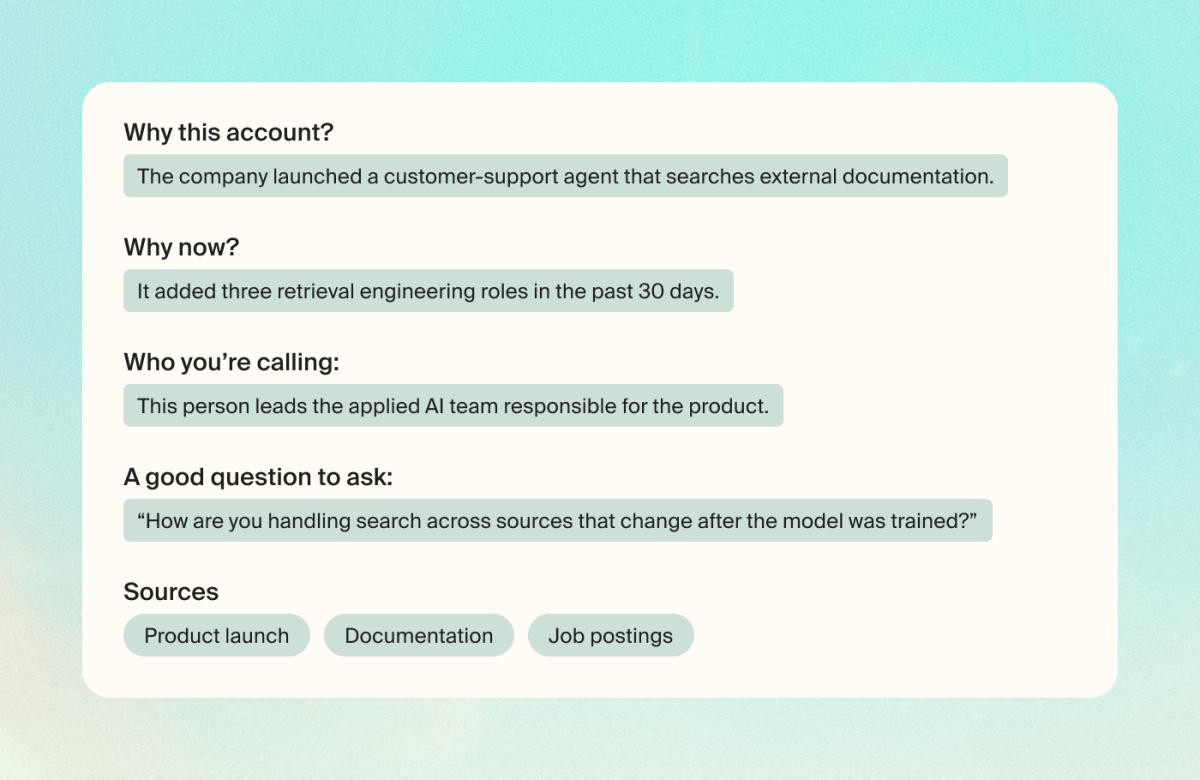
The brief is not intended to script the conversation or pretend we already know what’s happening inside the company. It gives the rep a reasonable hypothesis, a question to test it with, and the sources to inspect beforehand.
Saving research time is helpful, but it is not the full measure of success. The more important question is whether better-prepared calls turn into more meetings and whether those meetings become real opportunities.
5. Market monitoring: Finding opportunities before they reach us
Some relevant companies haven’t signed up or spoken to us yet.
Monitoring helps us look beyond the accounts already moving through our systems. We watch for developments such as changes in technical documentation, hiring around a relevant project, and new products that may depend on web information.
The challenge is deciding which changes deserve someone’s attention. A company can publish a lot without creating a useful reason for sales to act.
A worthwhile alert should explain what changed, point to the evidence, and make clear why it could matter to us. That gives the team enough context to investigate, contact someone, or keep watching.
A monitoring system that forwards every announcement becomes another feed people ignore. We want alerts that help someone decide which account to investigate next.
The outcome we care about is whether the workflow finds companies and changes that we can turn into qualified accounts, meetings, opportunities, and eventually pipeline.
Keeping the engine clean is not a one-and-done
The team needs research it can trust and use. We keep sources attached so reps can check the evidence, and use their feedback to improve the criteria behind each workflow. Incorrect matches, outdated pages, and weak connections to our product all need to be caught and corrected.
Producing more briefs or messages tells us very little on their own, so we also evaluate whether researched accounts lead to positive replies, meetings, and accepted opportunities.
How to choose a Tavily workflow to start with
Pick an account a rep plans to contact today. Ask them to explain why that company could need your product and what makes it worth contacting now.
Where they get stuck is a useful place to start:
- If they can’t identify a use case, improve account research.
- If they understand the fit but lack a timely reason to engage, try monitoring.
- If they have both but struggle to connect them to the prospect’s work, focus on outreach.
- If they’re heading into a meeting with only a company overview, improve preparation.
Build one workflow around that problem and put the output in a tool the team already uses. Then have reps show you what helped, what they ignored, and what turned out to be wrong.
That’s how we’re approaching Tavily inside our own sales team. The test is whether a rep can use the research to make a better decision or have a more useful conversation.
Try Tavily on an account you’re researching →